

BIGASUO 10.1″ Digital Calendar, Smart Touchscreen Interactive Display, Electronic Organizer for Monthly, Weekly & Daily Agenda, Chore Chart, Meal Planner, To Do List, Family Schedules, Picture Frame
$89.98
Related Products






Product description
The video showcases the product in use.The video guides you through product setup.The video compares multiple products.The video shows the product being unpacked. BIGASUO Digital Calendar Merchant Video
Centralize. Organize. Actualize. The all-in-one smart calendar that simplifies your busiest days.


 Weather System
Always Ready For Whatever Comes.  Switchable Alarm
No More Forgotten Moments.


Why is my calendar missing features such as tasks, rewards, meals, and photos?
This is normal. Our software system is updated regularly. Please upgrade your calendar to the latest version first. Steps: Settings → More → Upgrade → Check for new version.
Why does the user manual lack instructions for many features?
Due to regular updates, the printed manual is currently outdated. You can contact support to request the latest electronic version of the manual.
What should I do if synchronization from third-party calendar software to the digital calendar fails?
Since synchronization issues involve many factors, we recommend contacting our support team for specialized guidance.
How can I contact you for specialized guidance?
Our contact information is available in the user manual or the device settings. On the device, follow these steps: Settings → More → Help → Support (email inquiry).
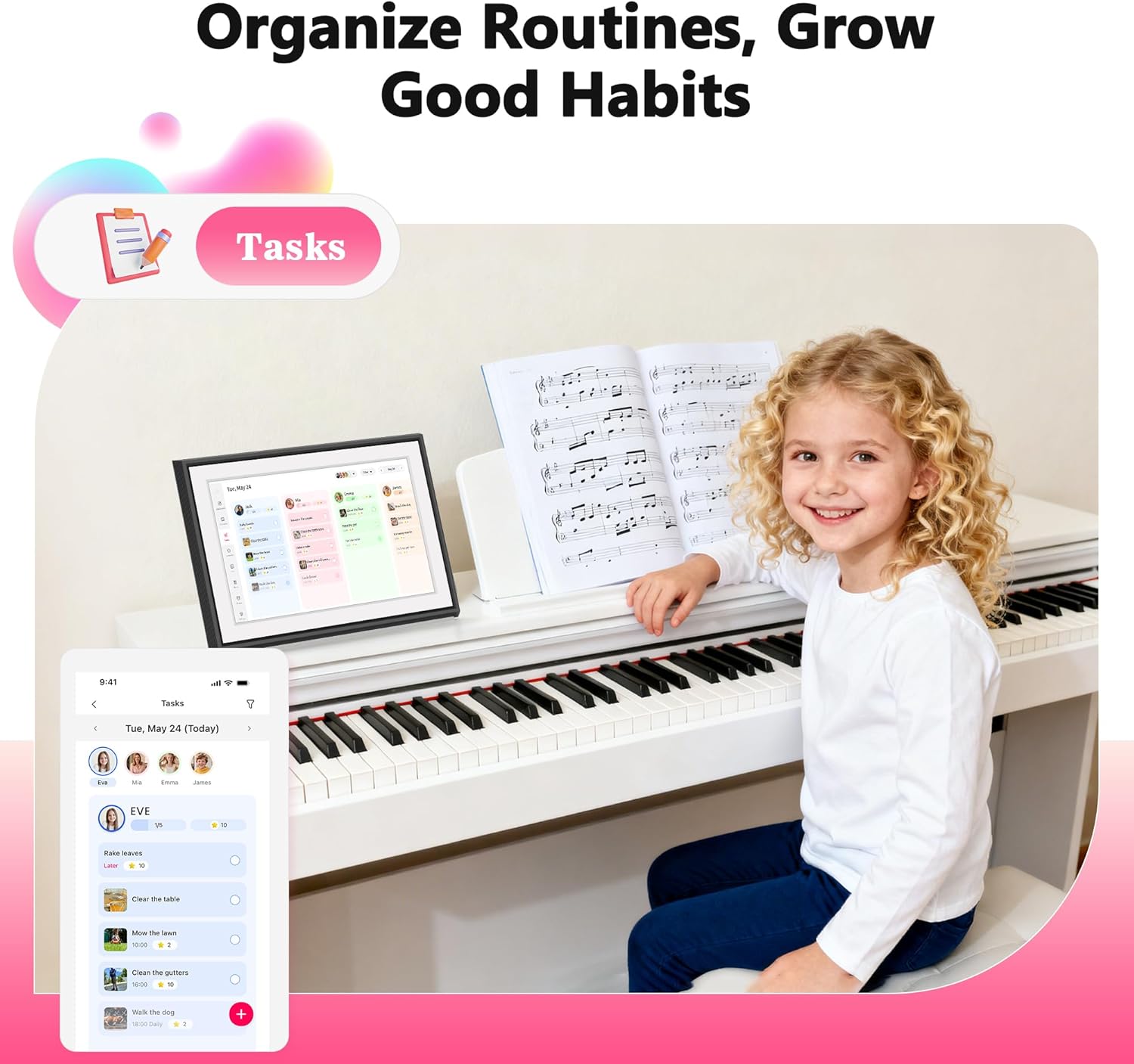
【Now Available: Version R-1.5.0】: Access new and enhanced features — including Tasks, Rewards, Meals, and Photos — by updating to our latest software release.(Upgrade Instructions: If your device is not yet on R-1.5.0, please go to: Settings → More → Upgrade → Check for new version); Tip: After initial startup, avoid rapid operations and allow the system sufficient time to process data.
【All-in-One Digital Family Hub】: Simplify your family’s scheduling with this BIGASUO WiFi-enabled smart digital calendar. Effortlessly color-code tasks and assign them to family members for smooth, visual coordination. More than just a calendar, it also helps you plan weekly meals and transforms into a digital photo frame—displaying your favorite family memories around the clock. (Note: Not designed for wall mounting.)
【Easy Setup & Auto-Sync】: Just plug it in, connect to Wi-Fi, and sync your calendars—your events will automatically load and stay up to date. It syncs with internet time servers for precise timekeeping. Easily add events or chores right on the device, or through the free mobile app. Compatible with Google Calendar, iCloud, Outlook, Cozi, and Yahoo Calendar.
【Chores Chart & Meal Planner】: Use the interactive chore chart to build responsibility and healthy habits in your children. Plus, display your weekly meal plan to keep everyone in sync and end the daily “What’s for dinner?” for good.
【Smart Photo Frame & Live Screensaver】: Turn moments into memories. Share photos and videos directly from your phone using the free app—no matter where you are. Transform your cherished memories from hidden files in your phone into a dynamic display of family moments for all to enjoy.
【Give the Gift of an Organized Day】: End the chaos and simplify your family’s life. This BIGASUO smart calendar display is your all-in-one command center for a more organized, stress-free home. It even doubles as a beautiful digital photo frame to showcase your favorite memories. The perfect gift for any busy family.
【Note for first-time use】: Tip ① – After initial startup, avoid rapid operations and allow the system sufficient time to process data;Tip ② – Follow on-screen instructions to check for and install system updates, ensuring your device runs on the latest version.
8 reviews for BIGASUO 10.1″ Digital Calendar, Smart Touchscreen Interactive Display, Electronic Organizer for Monthly, Weekly & Daily Agenda, Chore Chart, Meal Planner, To Do List, Family Schedules, Picture Frame
Add a review
$89.98
RedAkuma82 –
Not bad to keep things organized. Mounting is not too bad. Take time to learn
First thing I will say is that this is still electronics so it is still on the heavier side so just careful when you hang this on your wall. It does provide you with the mounting screws if needed. The screws are actually pretty nice with anchors. The screen is not too thick. It does require you to plug into the actual wall so the power cable and power supply are going to show unless you put it into the wall. You could stand it up like a photo frame on the table although there is no real stand for it provided. It does have touch screen capabilities on this so it makes it easier to interact with all the different applications and such. I do recommend you still mount this with and anchor or stud so it is easy to yank the whole thing down. The user interface does take time to learn. The screen and interaction menu is easy to read for the most part. You could make some notes or messages on the screen itself to make it easy to notify your family or others what needs to be done. It is easy to put the information to the screen and remain very organized. The touchscreen is pretty responsive and accurate. The screen quality and video/picture is good and solid. There are no hard to reach spot or any dead pixels which is nice. The white color i am worried will yellow overtime so keep this away from direct sunlight. Overall this is a good day to day calendar that you can use for quite sometime. It does save all your information if there happens to be a power outtage or the device gets unplugged. I mostly got it for my family to help us coordinate and know what needs to be done at what date and day of the week. The device is easy for us to read and does not push an overwhelming amount of information. You can adjust accordingly to include what additional details you want. It does take time to learn. It is not too pricy but it can be used for several years to come. It is heavy though so just careful where you hang this as it is still an electronic. The power plug provides you a good length just be away that is uses a power brick.
Orcatrainer –
An Absolute Game-Changer for Our Busy Household!
For years, our household’s schedule has been a chaotic mix of a kitchen whiteboard, random text messages, and a fridge covered in sticky notes. We’ve tried shared apps on our phones between roommates, but something always got missed. I bought this 21.5-inch digital calendar on a whim, hoping it would bring some order to the chaos, and I can honestly say it has completely transformed how we manage our lives.The first thing that strikes you is the size. The 21.5-inch screen is huge, bright, and easy to read from across the room. It’s become the central command center of our kitchen. The setup was shockingly simple, I just plugged it in and followed the prompts. No tech wizardry required.What truly makes this calendar special is the family-centric design. Each of us has our own color (I’m blue, my other roommate chose red and Green), and the little LED light that glows with the color of the next upcoming event is a brilliant touch. It’s so easy to glance at the calendar and instantly know who has something coming up. The kids have even taken ownership of their schedules, adding their own homework reminders and playdates.The functionality goes way beyond just appointments. We have shared lists for groceries, meal planning for the week, and we’re already building one for Christmas gift ideas for friends and family. It’s fantastic to add “milk” to the list from the kitchen and know that I will also see it on my phone app while I am at the store.Speaking of the app, the “Whale Framely” app and calendar syncing is flawless. The two-way sync with our respective Google calendar is perfect. Changes I make on my phone are instantly on the kitchen display, and vice versa. I also love the privacy feature: the main display shows everyone’s plans so we are all on the same page, but on my personal phone app, I only see my own events, which keeps things uncluttered.This calendar is more than a gadget; it’s the personal assistant our messy household desperately needed. It has eliminated the constant “Are we busy on Saturday?” questions and has made sure we haven’t missed a single appointment or birthday. If you’re looking to bring some calm and organization to your household or family’s hectic schedule, I cannot recommend this enough. It’s worth every penny, especially with no subscription fees!Pros:* Large, clear, and vibrant touchscreen display.* Incredibly easy to set up and use.* Color-coding and LED lights are fantastic for at-a-glance info.* Seamless two-way sync with Google Calendar.* The shared lists feature is incredibly useful for household management.* No subscription fees!Cons:* Honestly, I can’t think of any yet! It has exceeded all my expectations.
Lindsay –
Digital calendar
Update! I LOVE this calendar. I eventually got the calendar colors figured out and it is working great. I just noticed it got a software update and it’s great! I can now make a task list that repeats daily and can give star rewards to the kids for good behavior! This is big. It also added a meal plan and photos of wanted. I really like the upgrade! My kids are very good about checking the calendar daily and the alarm still the sound and light are very helpful. Especially with me having surgery it goes off so the family knows where they have to be without asking me! I love it.—Super convenient to have our list for the day laid out for us. I was using expo marker calendar but I like that this is digital and auto syncs with my Google calendar.I just wish I could change the color of my multiple calendars I have. I can if I add other user, but I have a few calendars under one account. There is about a dozen colors though for each user.It is smooth functioning and touch screen. Very easy to use and operate through the calendar. It has weather and list it’s a good size, not overwhelming big but still big enough to see everything I need.The app was easy to download and connect to. Just scanned a qr code. Setting up the stand is easy enough but there is an option to hang on the wall if you prefer that.If you have notification settings set up it will pop up with a light around it with the color of the person whose event is coming up and I think that’s pretty cool.I have now found a workaround getting the light set up. It’s just been complicated to get all the emails connected but it’s fine. At least now I can see each color
Ute Eger –
cooles Teil, sehr hilfreich für alle
Scarlet Dong –
I recently started using this digital calendar, and it has made organizing our family schedule so much easier! The bright, clear display is easy to read from across the room, and the adjustable brightness means it works well both during the day and at night.Setup was incredibly simple — plug it in, set the date and time, and it’s ready to go. I love that it clearly shows the day of the week, full date, and time, which is especially helpful for kids learning the calendar and time concepts. Even grandparents find it very user-friendly!The design is modern and sleek, so it fits nicely in our kitchen and could easily work in an office or a child’s study area. It also has great features like multiple language settings, standby mode, and automatic updates for daylight savings.Overall, this digital calendar is practical, stylish, and reliable. A great purchase for staying organized at home or work — highly recommended!
justin –
It’s an amazing calendar to keep all of your appointments and tasks in one place. Easy to install on the wall.
Tomie Phan –
First impressions: Setup was a breeze thanks to clear instructions. I love that it includes both a stand and wall-mount options.The screen is vibrant, and touch responsiveness is on point.Connecting to our home Wi-Fi was simple, and I had no trouble syncing my Google Calendar. It’s exactly what we were looking for—a minimalist, practical family command center without distracting extras.Detailed follow-up: After using this daily for three weeks, I can honestly say it’s worth every penny. The real-time sync between the calendar and our phones works flawlessly. We use the shared lists constantly, and the ability to set alarms for important events has kept us on track. While it doesn’t offer subscription-based features, that’s actually a plus for us—it’s focused, fast, and frustration-free.The build quality is solid, and customer support was helpful the one time I reached out. Strongly recommend if you want function over fluff.
Mike-Ottawa –
Updated. Physically the unit is well built. It doesn’t look or feel cheap. It has a really nice looking frame and the screen is not glossy so it doesn’t accumulate finger prints. There’s 3 buttons on the top of the frame. A power button (obvious), and plus & minus buttons for volume adjustments. There are heavy metal brackets that are very sturdy and color matched to the unit. These are for desk or countertop set up. They give you a paper template that matches these brackets but no template for the smaller wall mounting bracket. Why you’d need a template to set it up on your counter or desk I don’t understand while mounting on the wall would certainly benefit from a mounting template. Maybe I’m overlooking something.The unit itself is running android so if your phone (like mine) is android you’ll be able to sync your calendar easily after installing their app (more about the app below). My wife uses apple and syncing that was frustrating. The instruction booklet doesn’t explain it well. But the book offers a QR code that takes you to a demo video that shows you the steps. That is how I finally got it synced. Speaking of the booklet, it doesn’t offer any info on the majority of the built in functions of the unit, so you just have to figure things out. I went to the BigASUO website hoping for more info but couldn’t find anything there either. Having said that most users will have no problem exploring the menus to learn how to do things as most of the menu functions are obvious. 3 days ago I emailed their customer support and they responded the next day. I replied to answer their questions (about purchase and warranty) and I’m waiting to hear back. After a week of waiting, I contacted them again. They finally replied. Apparently my email was sorted out as spam.You must download their app or you can’t sync your devices. Full stop. No app, no sync. I suppose you could build your calendar events on the unit itself but that defeats the convenience of a digital calendar AND that means managing appointments on your device and then on this digital calendar. You have to create an account with them OR log in through a 3rd party interface. In my case I chose to log in thru My Google account which was fast and easy. Be advised that you are allowing Google to share personal info with the manufacturer in doing so which is fairly typical these days.Once it was up and running, everything looked great. I could see our calendar events on display. Photos from my phone were displayed nicely (after sending from my phone to the unit by using their app). We now enjoy memories of past events while eating meals because I wall mounted the new calendar in the kitchen.It does display weather info, but again the booklet does not tell you anything about making adjustments to that feature. So while we live in Ontario, the unit was displaying weather for the Bay St corridor in Toronto, 6 hours away from our location. With a little exploration I figured out how to adjust the location as it does not pick up actual location automatically. Or at least it didn’t for me.Today I tried to create a shopping list for groceries. First off, the list options on the app do not match those on the display unit. Odd. Though its not explained, you add items to you list by tapping the screen in the open/blank area below the list title. Took me a day to figure that out. There’s no way to organize your listed items (alphabetically or otherwise) but you can tap a small circle to the left of your item and it strikes it from your list and moves it to the bottom. Useful if you use the list on your phone while at the grocery store.All in all you’re getting an entry level device that’s well built and a useful new piece of technology at a good price. Setup may or may not be frustrating for you but follow that link to the “how to” video and you’ll be fine. Over time you’ll figure out the menus as it’s not difficult, just takes some exploration. There are a few online videos on the unit which makes for good reference material. More to follow on whether customer service replies to me. When they replied to me they provided a YouTube link that had more How To videos.